Account hierarchy
AI summary
About AI summaries.
When you sign up for Imply Lumi, you provide your company name. Imply uses it to create a dedicated account for your organization. Within that account, you add users and assign roles to control access.
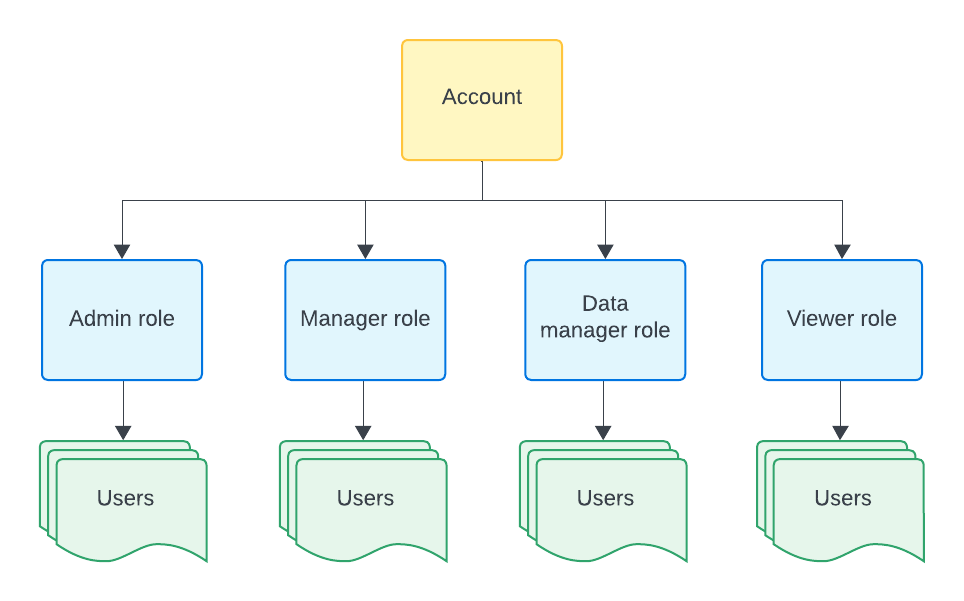
This topic explains how the main Lumi entities relate to each other, as shown in the following diagram. Click any box in the diagram to jump to that section.
Company
A company represents the organization associated with your Lumi account. Imply uses the company name you provide at signup to identify your account across Lumi services.
Account
An account is the administrative layer for your company in the Lumi UI. It's where you manage company details, such as billing and platform usage.
Each account includes a dedicated workspace where you can:
- Configure integrations and pipelines
- Send and search events
- Manage users and IAM keys
Permissions
Permissions describe specific capabilities in Lumi. Lumi groups permissions into predefined roles that align with common work functions, such as Admin or Manager.
For more information, see Permissions reference.
Roles
Roles are collections of permissions that determine the actions users can take and the Lumi features they can access.
You can assign multiple roles to a single user if needed.
Predefined roles are cumulative—each role includes all permissions of the roles that precede it, along with additional permissions specific to that role. Because of this cumulative model, you typically only need to assign a single predefined role to a user.
For more information, see Use roles to control access.
Users
Users are individuals who can access Lumi. Users authenticate either directly through Lumi or through an identity provider using single sign-on.
You grant access to Lumi features by assigning users to roles.
Lumi supports a many-to-one relationship between users and roles. Multiple users can have the same role as illustrated in the following diagram:
For more information on users, see Manage users.
Learn more
See the following topics for more information:
- Glossary for definitions of Lumi terms.
- How Lumi works for an overview of Lumi design principles and goals.
- Integrations for a reference of available integrations by type.