Monitor federated search performance
AI summary
About AI summaries.
When you use federated search to query Imply Lumi events in Splunk®, you can use the Splunk job inspector to examine aspects of the search. The job inspector includes components specific to Lumi to help you troubleshoot federated queries of Lumi events.
Access the Splunk job inspector
To access the job inspector:
-
In Splunk Web, perform a search against a Lumi federated index. See Federated search reference for supported commands and query examples.
-
Below the search bar, click Job and select Inspect job. You can select the job inspector while the search is still running, or when it's complete.
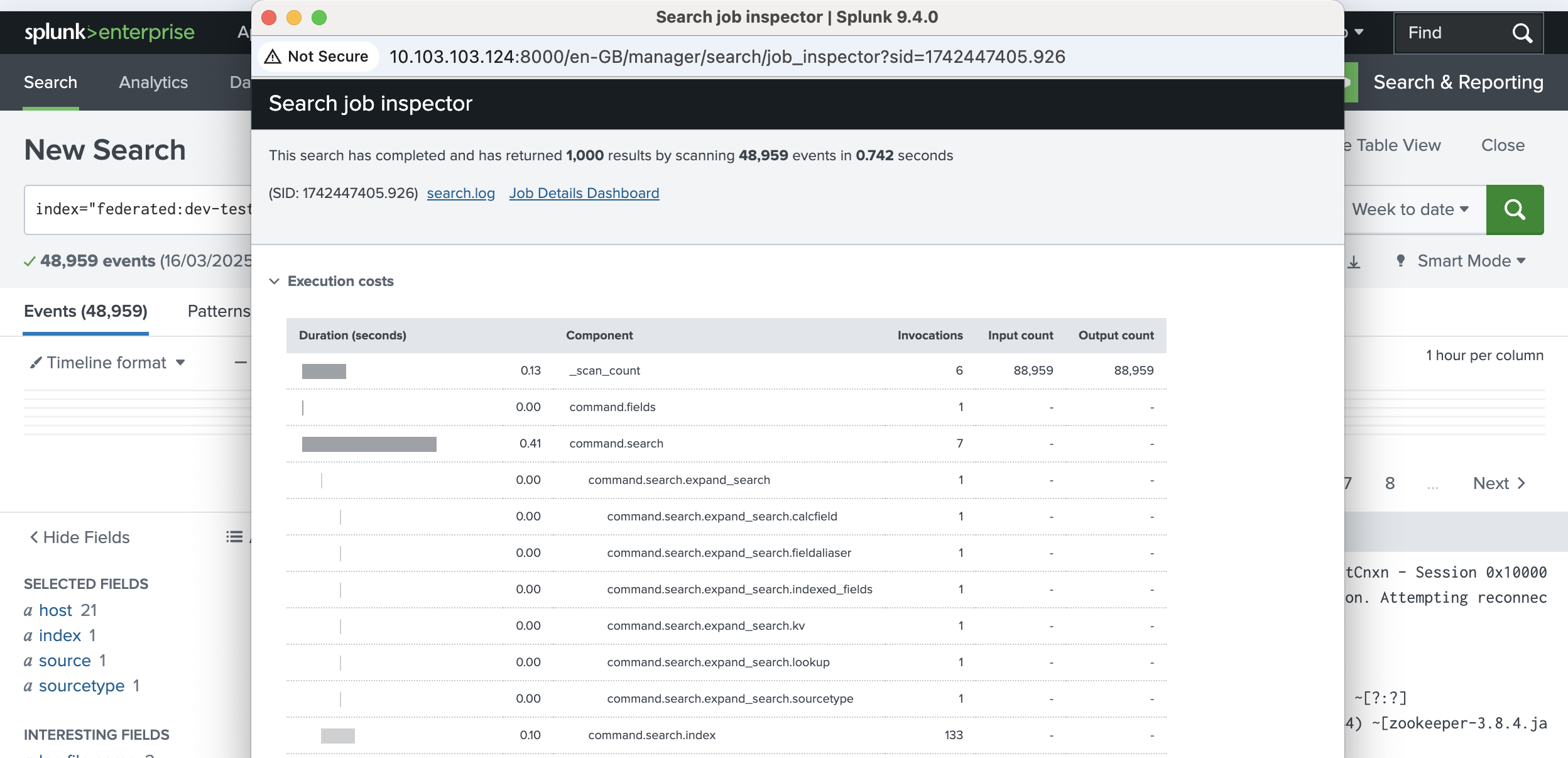
The top section of the job inspector window shows the number of results, the number of events scanned, the duration of the search, and the search ID (SID).
-
The Execution costs section shows the duration of each search component. You can use this information to troubleshoot and improve slow queries. Scroll down to see the components that start with
lumi. See Lumi components for details. -
If you want more information, click Jobs Detail Dashboard in the job inspector dialog to display the properties of the search and examine details of a specific search ID.
-
Close the window when you've finished.
Lumi components
The following components in the job inspector are specific to Lumi.
Performance metrics
The following components measure query execution and data volume.
| Component | Description |
|---|---|
lumi.bytesProcessed.in | Total number of bytes scanned to run a query. |
lumi.bytesProcessed.out | Total number of bytes returned after filtering and processing a query. |
lumi.endToEnd | Total time to complete a query and send results from Lumi to Splunk. |
lumi.timeToFirstResult | Time taken to produce the first batch of results. |
Signals
The following components indicate conditions encountered during query processing.
| Component | Description |
|---|---|
lumi.signal.datamodel_requested_but_unavailable | Data models object is null. |
lumi.signal.datamodel_parse_failed | Data models object exists but couldn't be parsed. |
lumi.signal.no_datasets_in_datamodel | Data model parsed successfully but contains no datasets. |
lumi.signal.dataset_not_found | Requested dataset doesn't exist in the data model. |
lumi.signal.query_to_disallowed_index | Query references an index not in the allowed list. |
lumi.signal.index_missing_in_query | Non-data model query has no explicit index specified. |
lumi.signal.exception_in_transparent_mode | Exception occurred while processing a query in transparent federated search mode. |
Internal components
The following components are used internally by Imply.
lumi.intermediate.deserializelumi.resultGenlumi.writeToWire
Learn more
See the following topics and third-party documents for more information:
- Search events with Splunk to configure federated search of Lumi events within Splunk.
- Splunk documentation on search job properties.
- Splunk Job inspector tips and tricks blog post.