Imply Lumi new feature highlights
This topic highlights some of the latest features in Imply Lumi. Give them a try!
For information about other changes, including fixes and improvements, see Release notes.
Current highlights
Lumi Enterprise on OpenShift
Lumi Enterprise on OpenShift is an early access feature.
You can now deploy Lumi Enterprise on OpenShift, the Red Hat enterprise distribution of Kubernetes. Use this option to run Lumi outside AWS, including on bare metal.
You install Lumi with a Helm chart and connect it to the infrastructure you provide, such as a database, a Kafka cluster, and an object store. You manage the infrastructure, scaling, security, and compliance.
For more information, see Lumi Enterprise on OpenShift.
External data
You can now query data that stays in your own Amazon S3 storage without ingesting it into Lumi. Create an external data connection to point Lumi at your source logs, and Lumi writes an index to an S3 location you designate. Your source logs stay in place, and Lumi only reads from them.
Search external data in Lumi, or query it from Splunk® using federated search. External data queries run on virtual compute pools, so you only pay for compute when you query the data.
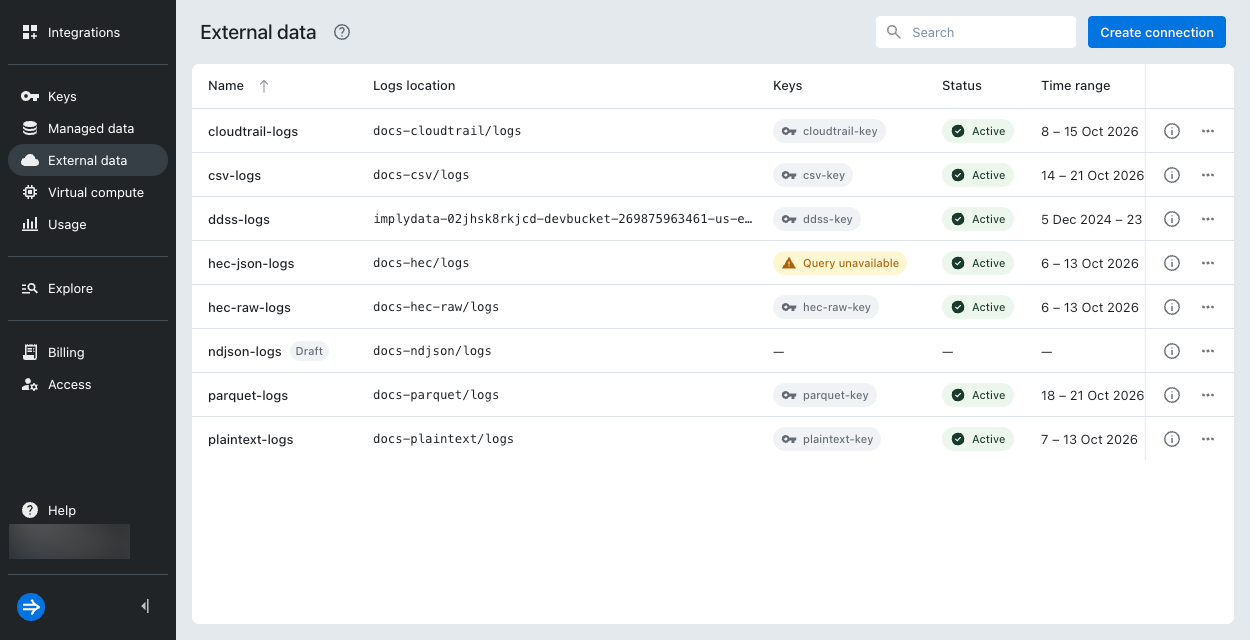
For more information, see External data overview.
Virtual tier
Lumi provides a virtual tier, a cost-efficient alternative to the hot tier that gives you on-demand access to infrequently accessed data.
When a query targets data in the virtual tier, Lumi automatically routes it to isolated compute resources that spin up on demand and shut down when idle. Instead of paying for always-on compute across all your data, you only pay for compute when data is queried.
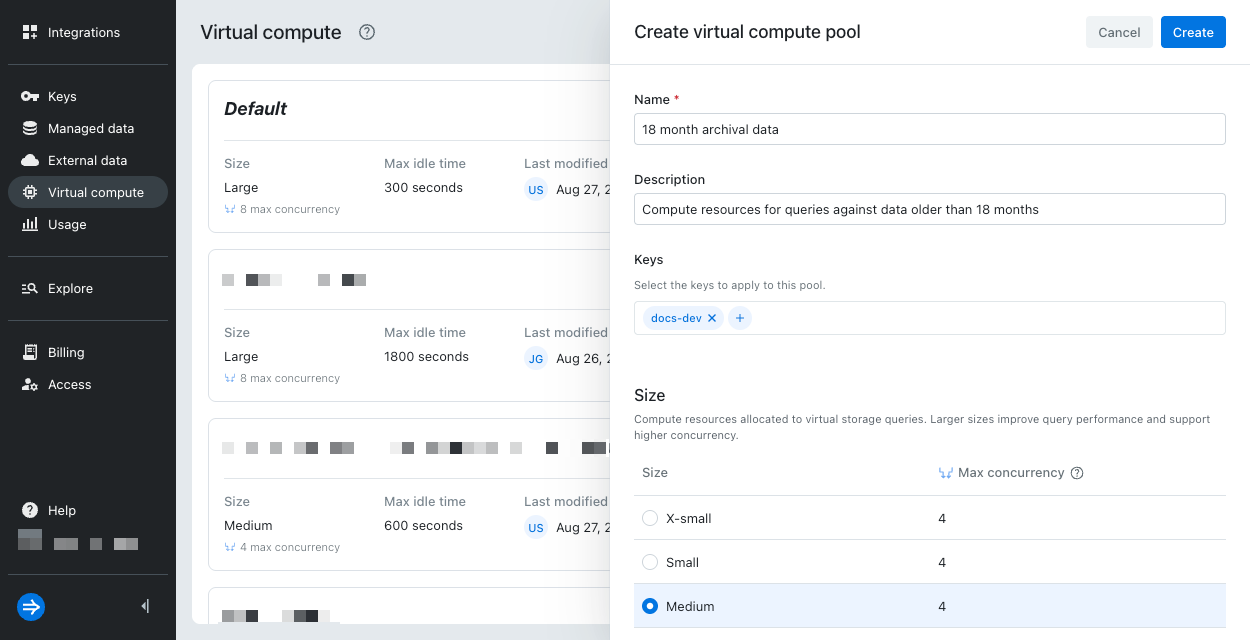
For more information, see Virtual tier overview.
IP allowlist
This feature is available for Lumi Cloud by default. For Lumi Enterprise, contact your Imply support representative.
You can now create IP allowlists for your IAM keys. The allowlist restricts which IP addresses and CIDR ranges can use a specific key.
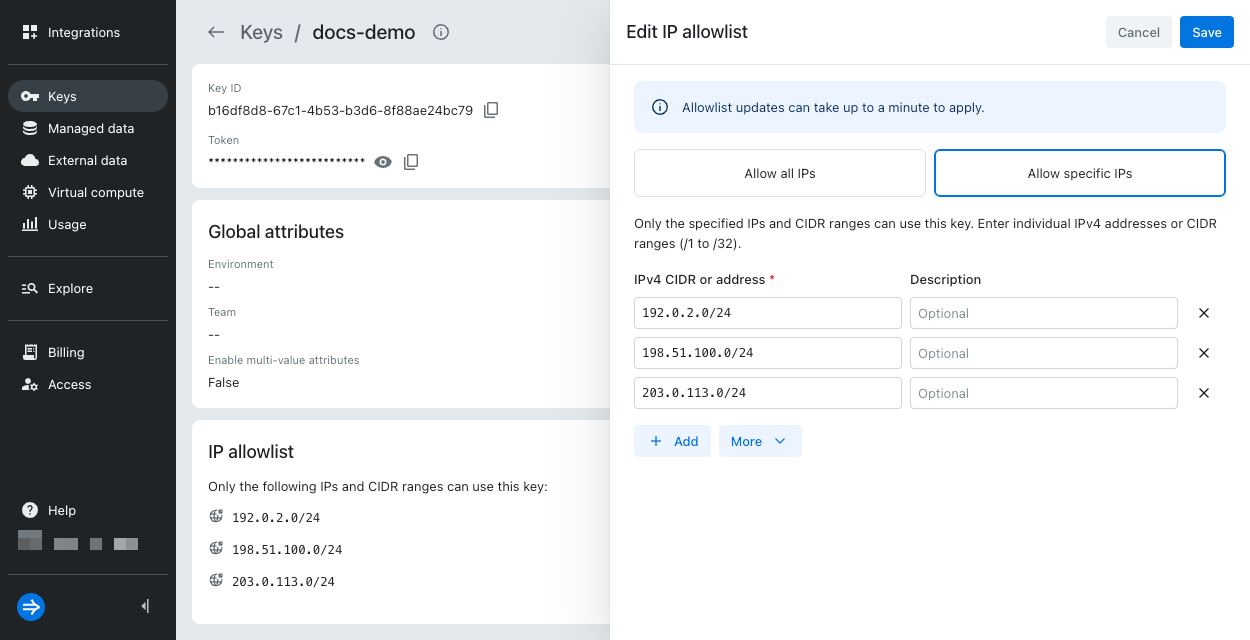
For more information, see IP allowlist.
Billing UI
The Billing page for Lumi Cloud is now available. View detailed usage metrics and cost breakdowns for ingestion, search, and data retention.
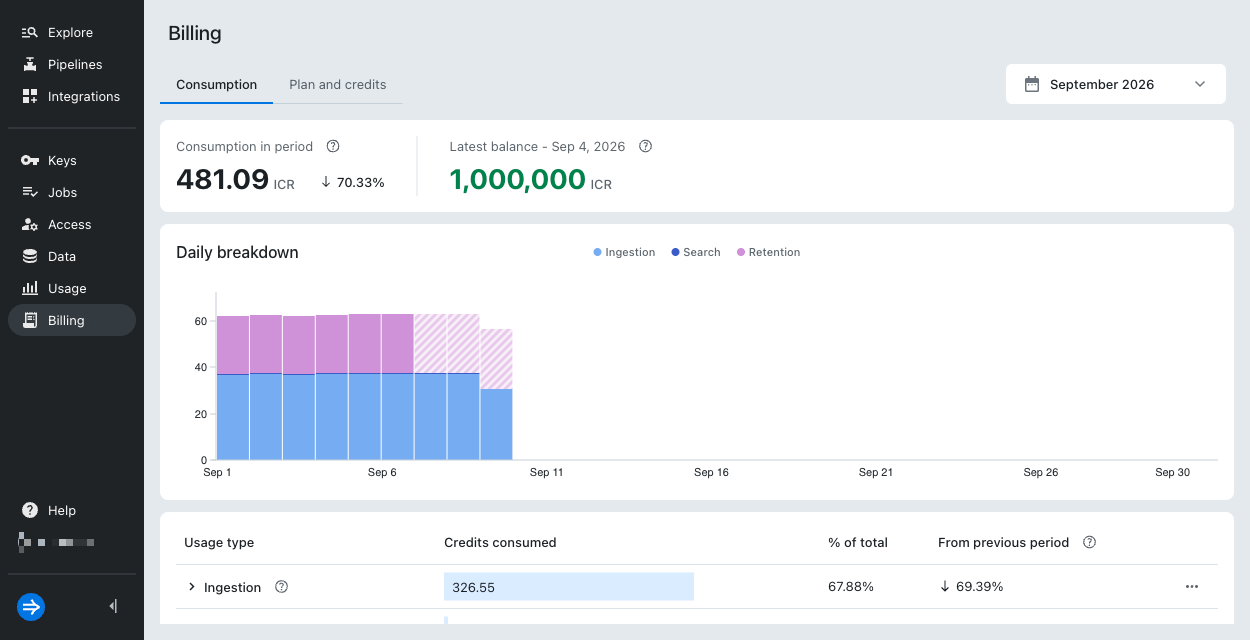
For more information, see Billing.
Lumi Enterprise SSO
Lumi Enterprise supports Okta and Microsoft Entra ID as SAML SSO identity providers (IdPs). With SAML SSO, you can log in to Lumi Enterprise using your existing IdP credentials.
For more information, see Configure SAML SSO for Lumi Enterprise.
Expanded SPL support
Lumi now supports the following SPL commands:
eventcountreltimeforeachappendpipe
For more information about supported SPL commands, see the compatible SPL commands reference.
Pipeline import and export
You can create a pipeline by importing a saved configuration or by directly uploading a Splunk® Technology Add-On. You can export pipelines for version control or to use as the basis of a new pipeline.
For additional details, see Build pipelines from Splunk technology add-ons and Manage pipelines and processors.
Poll-based S3 ingestion
To ingest objects from Amazon S3, you can now set up intervals for Lumi to poll your S3 bucket and check for new objects. Use this approach for recurring ingestion when you don't want to configure S3 event notifications.
For more information, see Recurring ingestion from S3 at fixed intervals.