Search events with Claude Code
AI summary
About AI summaries.
You can use Claude Code to query Imply Lumi events directly from your terminal. The MCP integration connects Lumi to the Claude CLI through the Model Context Protocol (MCP), enabling you to ask natural language questions, view the generated SQL query, and access query results.
Prerequisites
To query Lumi events with Claude Code, you need the following:
- Access to Lumi with the Data manager role or higher. For information on roles and permissions, see Use roles to control access.
- Lumi IAM key with the MCP integration. See Create an IAM key for details.
You also need a Claude account with access to the Claude CLI. Before you begin, install the Claude CLI and log in. See Claude Code overview for details.
Obtain Lumi authentication details
To obtain the details you need from Lumi:
- Go to the Model Context Protocol (MCP) integration page in Lumi and select your IAM key.
- Select the Claude Code AI agent.
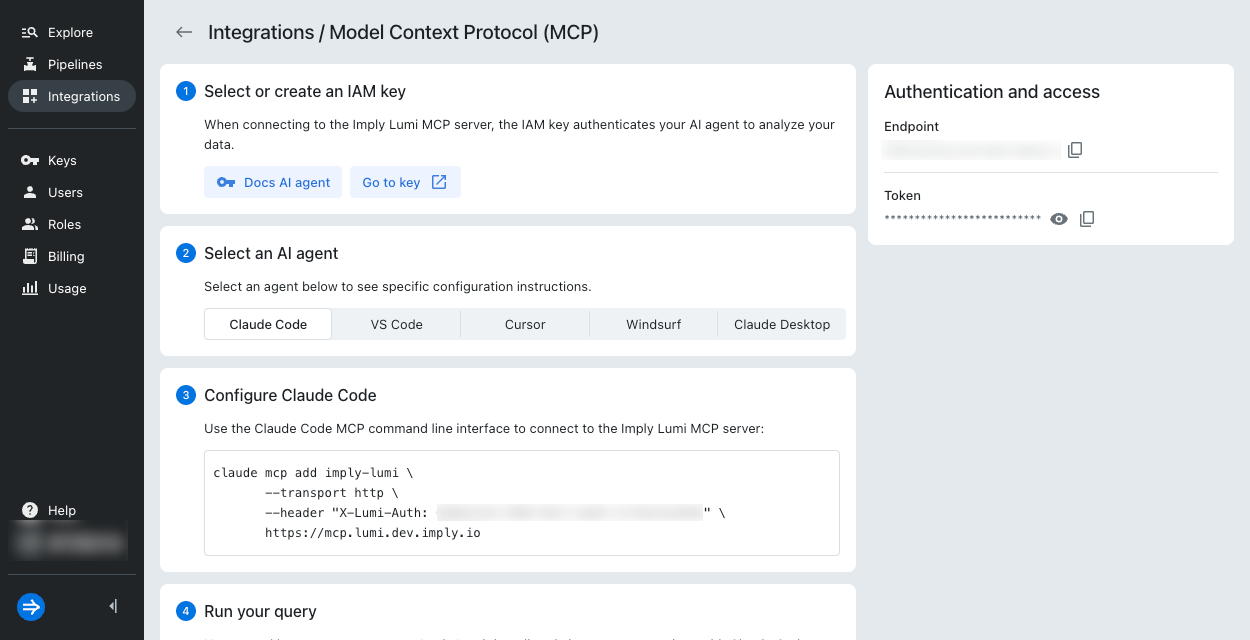
- Copy the details under Authentication and access on the right:
- Endpoint: URL resembling
https://mcp.lumi.imply.io - Token: API token resembling
0b8d890e-0bc4-4208-ab68-c195c00d76b0
- Endpoint: URL resembling
- Copy the code snippet in Configure Claude Code. You'll need it in the next step.
Configure Claude
To register your Lumi MCP server with Claude, access the Claude CLI and run the snippet you saved in Obtain Lumi authentication details. For example:
claude mcp add imply-lumi \
  --transport http \
  --header "X-Lumi-Auth: 0b8d890e-0bc4-4208-ab68-c195c00d76b0" \
  https://mcp.lumi.imply.io
A successful connection produces a message similar to:
Successfully added the imply-lumi MCP server to your Claude configuration with HTTP transport and the X-Lumi-Auth header.
Query Lumi from Claude CLI
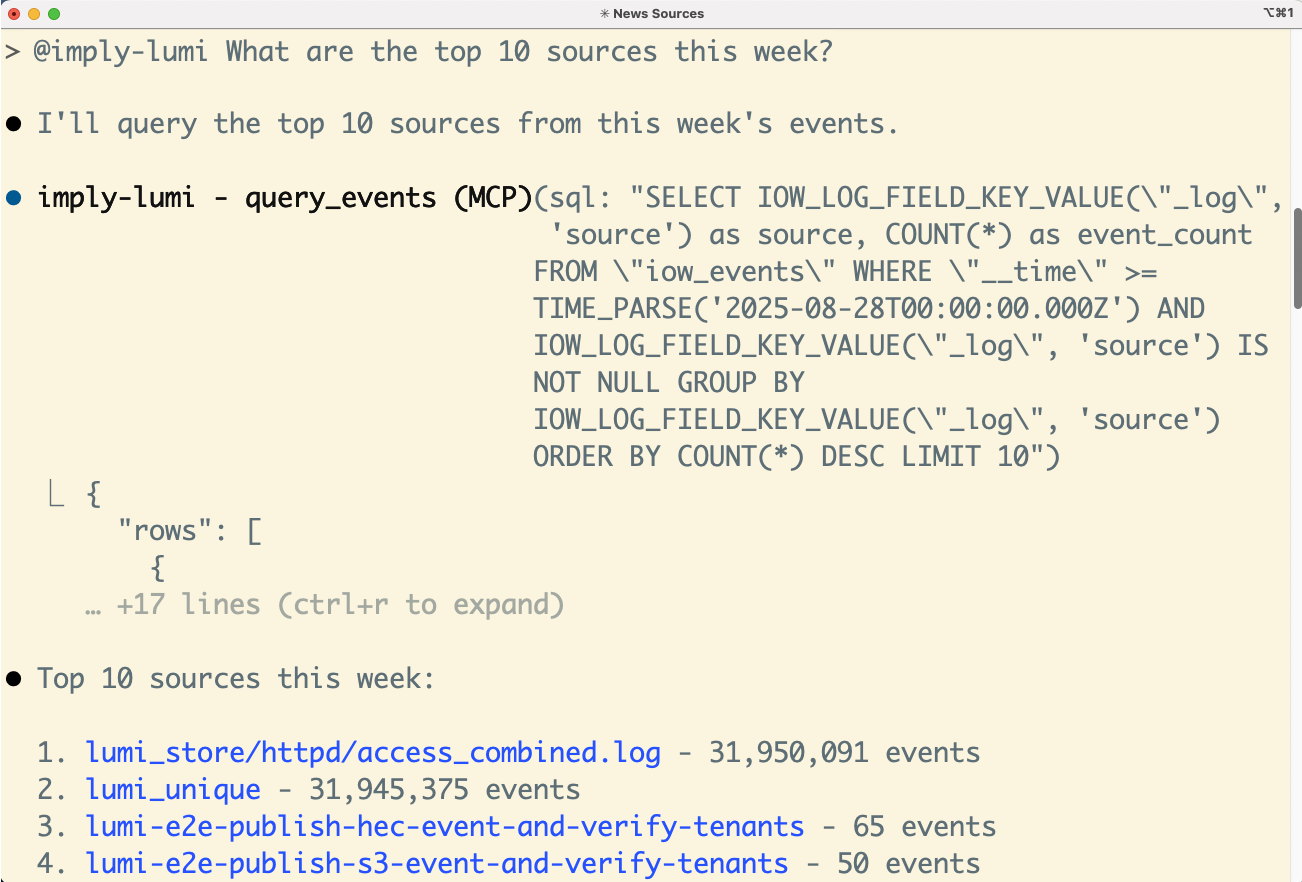
You can now query Lumi from the Claude CLI using natural language. For example, "@imply-lumi What are the top 10 sources this week?" Claude displays the SQL it uses to run the query and the result.
Example response:
Learn more
See the following topics for more information:
- Search Lumi events for all options to search events.
- Search events with AI agents for other AI agents that integrate with Lumi.
- Connect Claude Code to tools via MCP