Search events with Visual Studio Code
AI summary
About AI summaries.
You can query Imply Lumi events directly in Visual Studio Code using GitHub Copilot. Through the Model Context Protocol (MCP), Copilot connects to the Lumi MCP integration and lets you run natural language queries alongside your code.
Prerequisites
To query Lumi events with VS Code, you need the following:
- Access to Lumi with the Data manager role or higher. For information on roles and permissions, see Use roles to control access.
- Lumi IAM key with the MCP integration. See Create an IAM key for details.
You also need a VS Code account with an active Copilot subscription. Before you begin, install the GitHub Copilot extension for VS Code. See GitHub Copilot in VS Code for details.
Obtain Lumi authentication details
To obtain the details you need from Lumi:
- Access the Model Context Protocol (MCP) integration page.
- Select your IAM key.
- Select the VS Code AI agent.
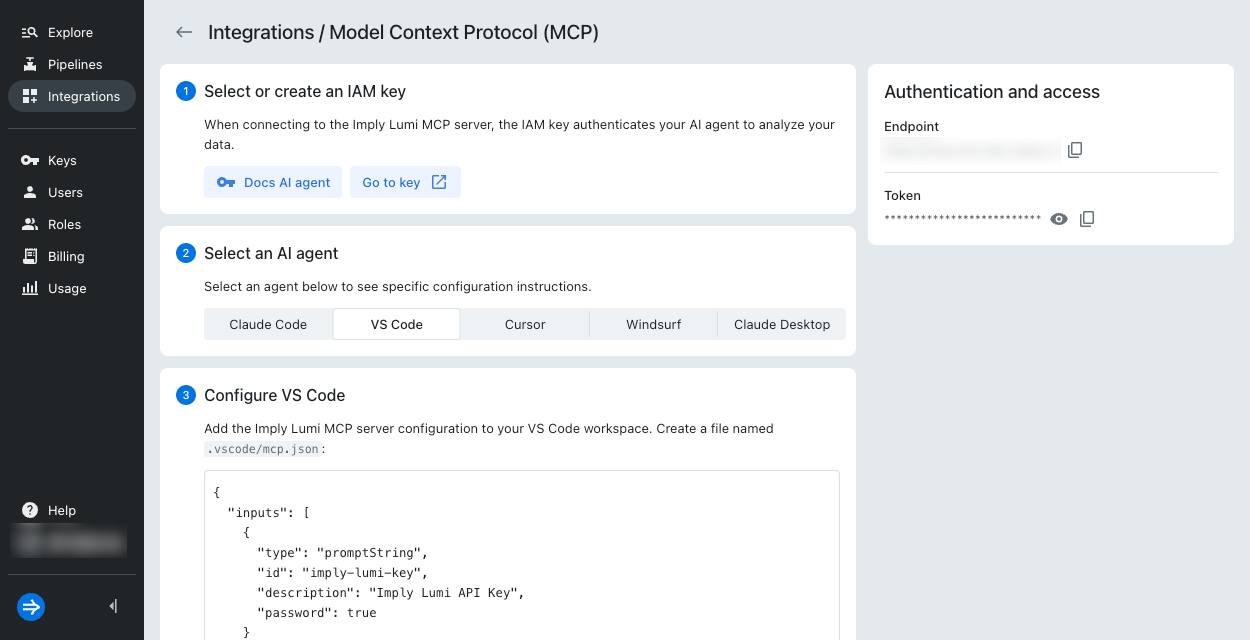
- Copy the details under Authentication and access on the right:
- Endpoint: URL resembling
https://mcp.lumi.imply.io/ - Token: API token resembling
0b8d890e-0bc4-4208-ab68-c195c00d76b0
- Endpoint: URL resembling
- Copy the Lumi MCP server configuration. You'll need it in the next step.
Configure VS Code
To configure VS Code:
- In your VS Code workspace, create a file named
.vscode/mcp.json(create the folder if it doesn't exist). - Paste the Lumi MCP server configuration into
mcp.json. - Open
mcp.jsonand click Start: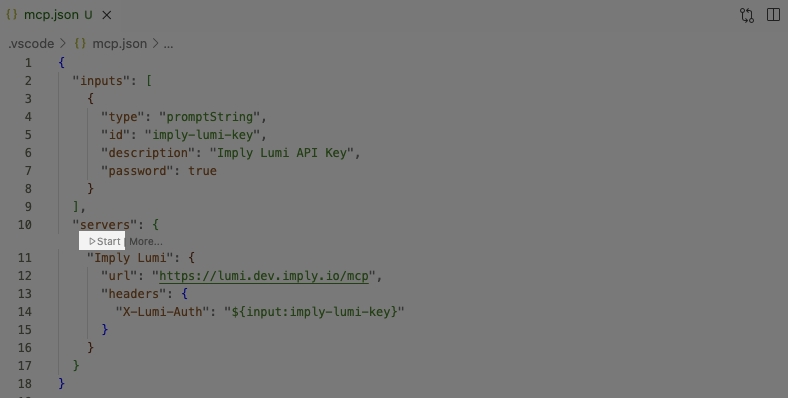
- When prompted, enter your Lumi API key.
- When the Lumi MCP server status has changed to
Running, you can query Lumi events.
Query Lumi from VS Code
In the Copilot chat window, change the mode from Ask to Agent. This instructs Copilot to call the Lumi MCP server to retrieve results.
Enter # and select Imply Lumi, then enter your query.
For example, "What is the nature of the last few logs?"
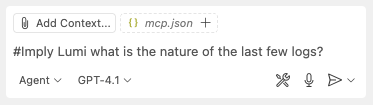
Click Continue to execute the query.
Example results:
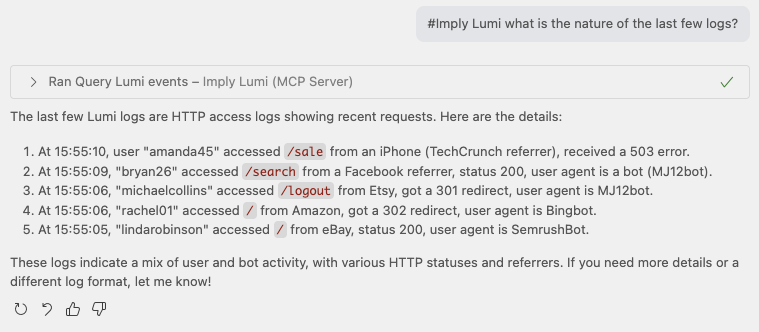
Learn more
See the following topics for more information:
- Search Lumi events for all options to search events.
- Search events with AI agents for other AI agents that integrate with Lumi.