Recurring ingestion from S3 at fixed intervals
AI summary
About AI summaries.
You can use the S3 pull integration to configure recurring ingestion from Amazon S3 to Imply Lumi. When you configure a polling interval, Lumi periodically checks the S3 bucket at the specified time interval and ingests newly discovered objects.
This topic provides details on configuring poll-based recurring ingestion with S3 pull.
Prerequisites
Before you continue, review Send events with S3 pull and ensure that you:
- Met the prerequisites
- Configured AWS access
- Created a Lumi IAM key
How a recurring job works
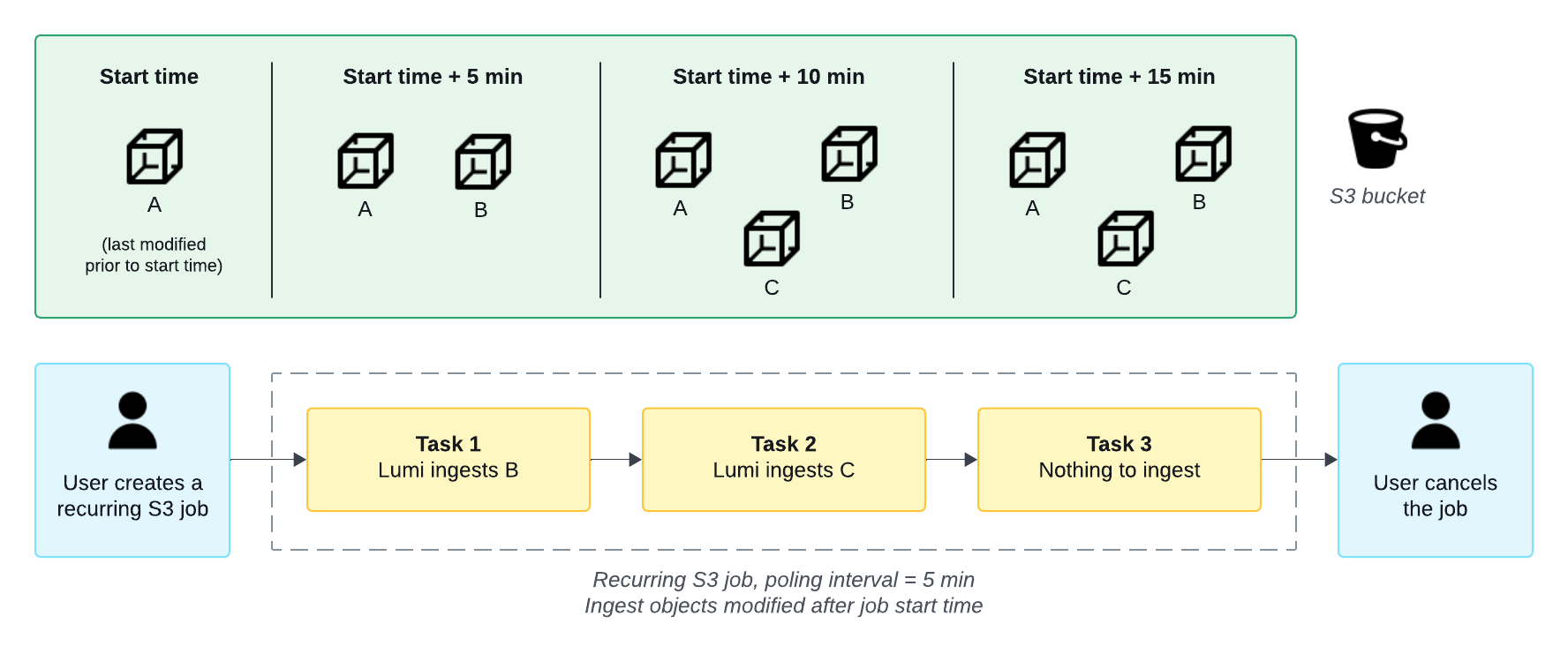
A recurring job consists of multiple tasks, or instances when Lumi polls S3. In the job, you define the time interval between tasks as the polling interval. When the polling interval elapses, Lumi ingests objects created or modified since the last task.
By default, in the first task, Lumi evaluates new objects relative to the time the job was created. Subsequent tasks evaluate new objects from the last successful task.
Lumi assigns the system attribute correlationId to each event from a recurring job.
Events from the same job have the same correlation ID.
For more information, see S3 pull attributes.
The following diagram shows an example of how fixed interval recurring ingestion works:
Create a job
Create a recurring S3 job using the Lumi UI:
-
From the Lumi navigation menu, click Integrations > S3 pull.
-
In Select the job type, click Recurring.
-
Select your AWS access method and your Lumi IAM key.
-
For the discovery method, select Polling.
-
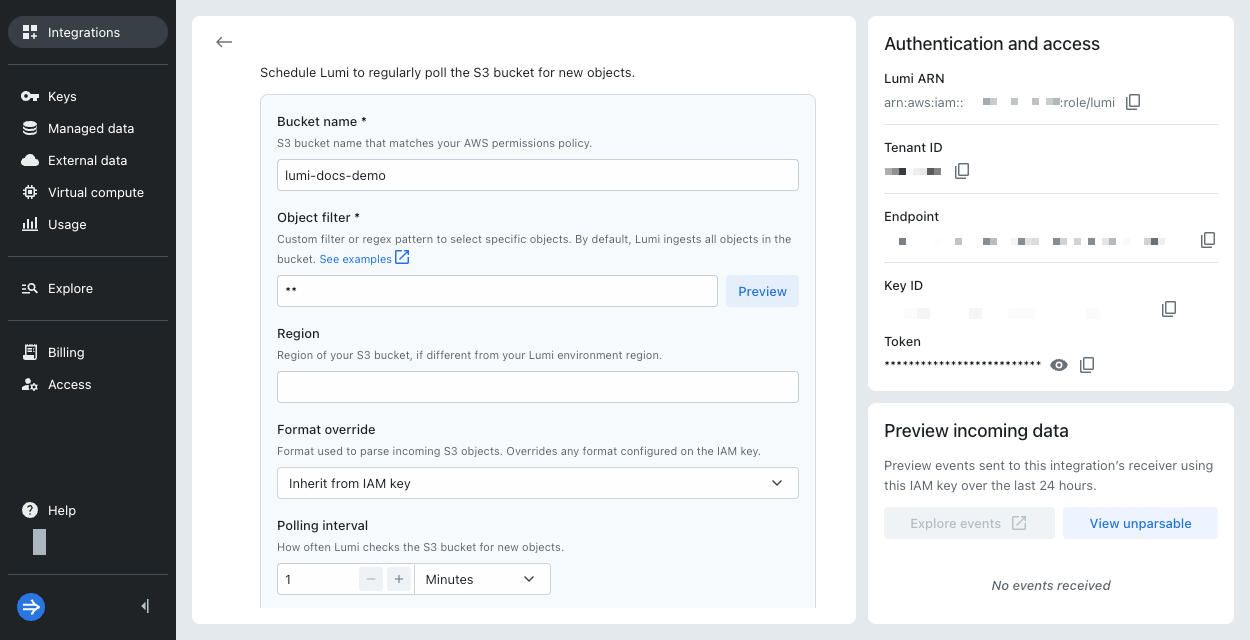
Enter the following details:
-
Bucket name: Name of the S3 bucket containing the data.
-
Object filter: Glob pattern for object keys that defines which objects to include when ingesting data. The pattern must match the entire object key. See S3 object filters for examples.
infoAs a best practice, use the most specific prefix that matches your objects.
-
Polling interval: Frequency that Lumi checks the S3 bucket for new objects. The minimum interval is one minute.
-
-
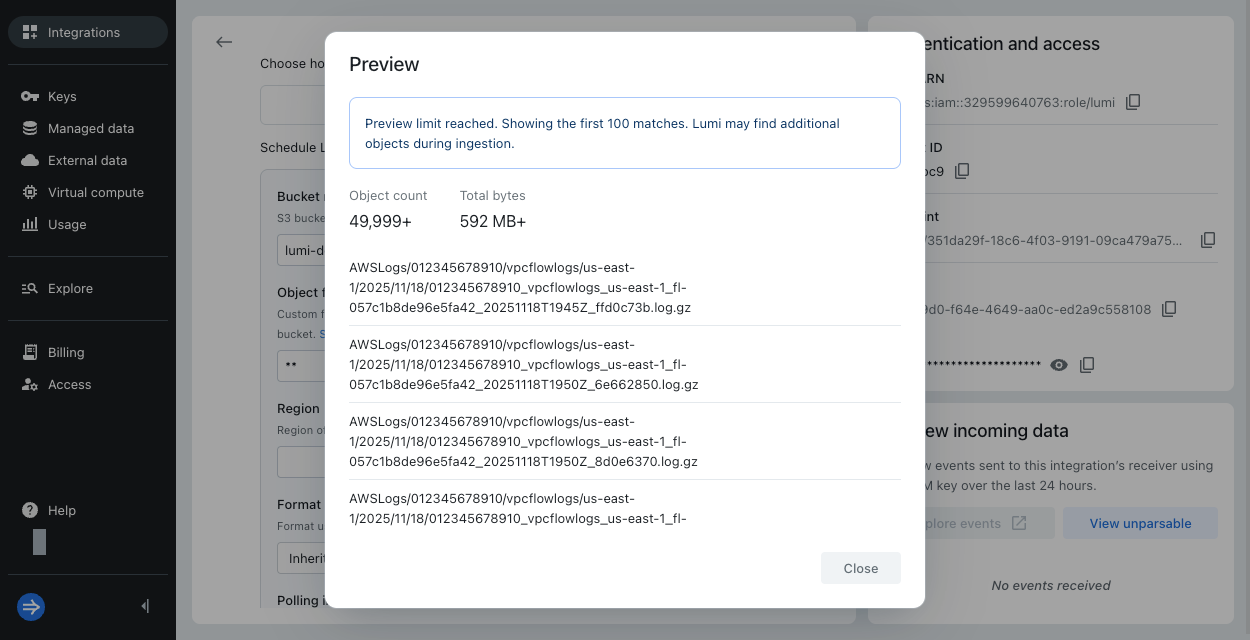
Optionally, click Preview to see the objects that match your filter. Lumi displays the first 100 matches. If you reached the preview limit and Lumi didn't find any matches, refine your object filter to be more specific.
-
Optionally, provide the following information:
- Region: AWS region of your S3 bucket. By default, it assumes the same region as the Lumi environment. The region is required when your AWS bucket and Lumi account are in different regions.
- Format override: Event format, such as CSV or JSON. By default, the job inherits the format selected on the IAM key. Otherwise, Lumi automatically detects the format.
- Skip objects already ingested by SNS: If you previously configured SNS-based recurring ingestion on the same bucket, review the option to skip objects already seen or to intentionally reingest them. In most cases, leave this option selected to avoid event duplication.
-
Click Start job. Ingestion might not begin immediately.
If you encounter an error, see Troubleshoot access for S3 pull. -
In Preview incoming data, view the events coming into Lumi. Lumi automatically refreshes the preview pane to display the latest events.
-
Click Explore events to see more events associated with the IAM key. Adjust the time filter to choose the range of data displayed.
View job status
Lumi displays the status of the job after you submit it. Click View and manage job for more details on the Jobs page. There, you can pause the job or see the progress of discovery and processing for the latest task in the job. For more details, see View and manage jobs.
Learn more
See the following topics for more information:
- Send events with S3 pull for how to configure permissions between Lumi and AWS.
- Recurring ingestion from S3 using object notifications for recurring ingestion triggered by Amazon S3 event notifications.
- Cloud regions for Lumi regions and their AWS equivalents.