Transform events
AI summary
About AI summaries.
The data you send to Imply Lumi varies based on your observability needs. You might instrument applications to generate telemetry about performance, requests, and service interactions. In other scenarios, you might work with existing event logs from systems like Windows or Amazon VPC.
Given different structures and sources of events, you can transform events to make them more searchable and useful. For example, you might standardize field names across different log sources so you can query them consistently. You might filter high-volume events into separate datasets to improve query performance. You can also extract specific fields—like error codes or user IDs—to make critical information easier to find and analyze.
Lumi offers several ways to enrich and parse your incoming events. Choose your approach based on your event format and forwarding agent. This topic introduces these options and provides guidance on when to use each.
Tools for event transformation
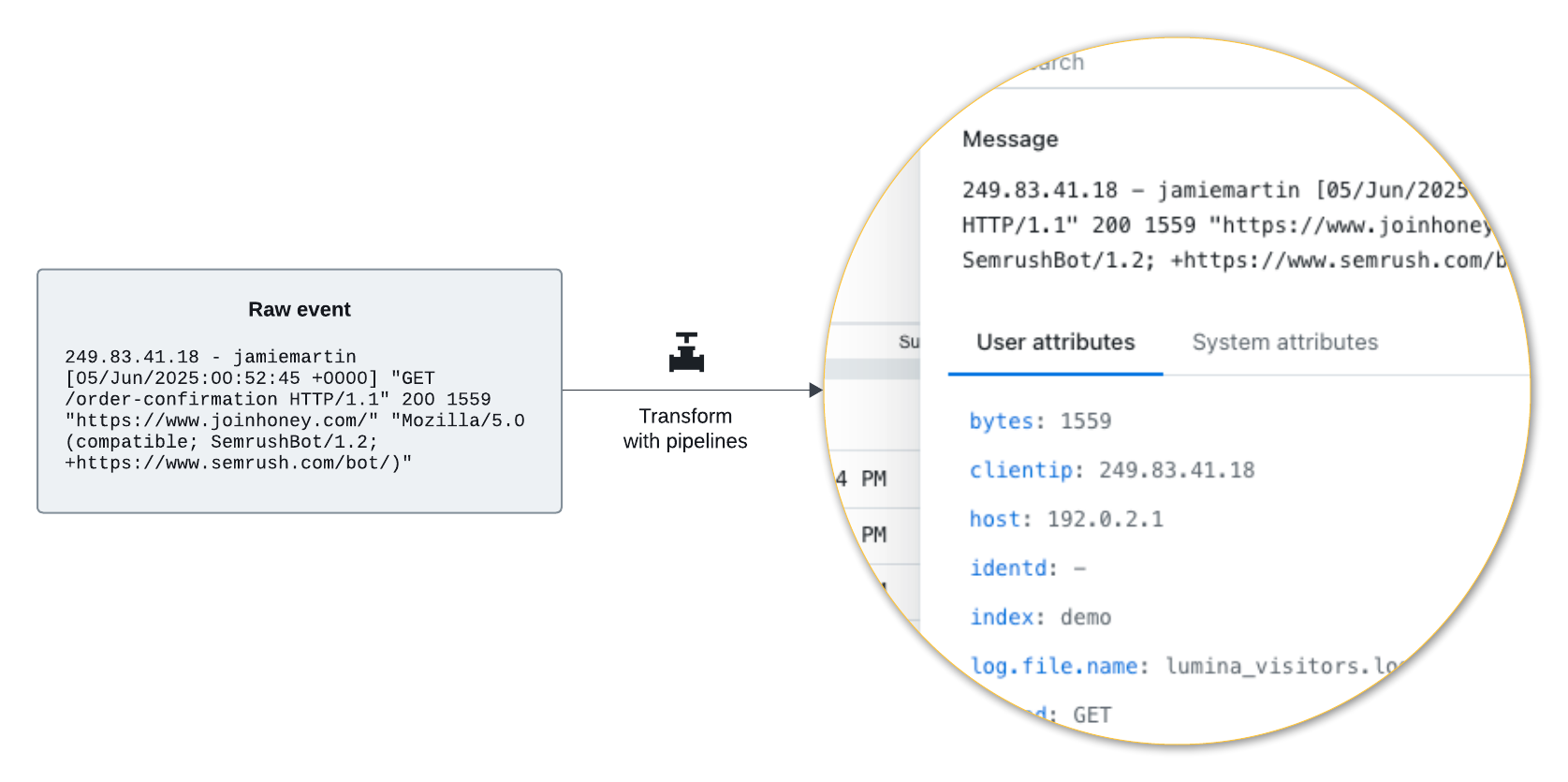
Pipelines are channels that process incoming events that meet a user-specified condition. A pipeline contains one or more processors which define the data processing tasks.
An IAM key authenticates requests for sending data to Lumi. It also stores parsing settings and default values for user attributes. These are collectively known as IAM key attributes. IAM key attributes only apply to specific ingestion integrations. Lumi uses the IAM key attributes when a forwarding agent meets both conditions:
- Authenticates with the specified IAM key
- Uses an integration associated with the attributes
Pipelines
Pipelines process events before Lumi stores them. Pipelines make it easy for you to automatically extract details from log data into searchable attributes. When you explore events, you can filter on those attributes.
Lumi provides a library of predefined pipelines, which contain a set of standard processors to parse and transform events with a specific data structure or format. You can also define your own pipeline to transform any kind of data you send to Lumi.
To learn more about pipelines, see Transform events using pipelines.
For a tutorial, see How to build pipelines.
IAM key attributes
IAM key settings are available to specified integrations. You can enrich events with select Splunk® default fields for the HEC integration. Furthermore, you can parse events with Splunk props configuration for the S2S integrations.
These attributes only apply to their specified integration. For example, consider a scenario where you're using the same IAM key to send events in HTTP requests using HEC and send events from an OTel collector with the OTLP protocol. Lumi only applies the HEC attributes in the first case, not for incoming OTLP events. You can still add or modify these attributes using a pipeline.
For more information, see IAM key attributes reference.
Selection criteria
Pipelines and IAM key attributes are fundamentally separate concepts, but they have some overlap. The following table provides guidance on when to use pipelines and when to configure IAM key attributes.
| Function type | Function | Pipelines | IAM key attributes |
|---|---|---|---|
| Event indexing | Set indexer acknowledgment or allowed indexes for Splunk HEC | ❌ | ✅ |
| Configure authentication for S3 pull | ❌ | ✅ | |
| Event parsing | Assign event message or timestamp | ✅ | ❌ |
| Parse event message or attributes with regex or grok | ✅ | ❌ | |
| Extract attributes from key-value pairs | ✅ | ❌ | |
| Parse events using S2S protocol | ❌ | ✅ | |
| Event enrichment | Assign env and team global system attributes | ❌ | ✅ |
| Set Splunk default fields | ❌ | ✅ (only for Splunk HEC and S3 pull) | |
| Set custom user attributes with priority assignment | ✅ | ❌ | |
| Override preexisting user attributes | ✅ | ❌ | |
| Evaluate expressions to determine attribute values For example: arithmetic processing, field assignment using a lookup mapper | ✅ | ❌ |
Learn more
For more information, see the following topics:
- Transform events using pipelines to learn about how pipelines work.
- Manage IAM keys to create an IAM key, enable integrations, and assign IAM key attributes.
- Event model to learn about how Lumi prioritizes and assigns user attributes.
- Send events to Lumi for integrations to send events to Lumi.
- Lumi concepts for Splunk users to learn about Lumi as it relates to the Splunk ecosystem.
Pipelines overview
Learn how Imply Lumi pipelines transform events through parsing and enrichment. Learn about pipeline conditions, processors, and order of operations.
Manage pipelines
Transform incoming data with Imply Lumi pipelines. Learn to create and manage processors for effective event processing.
Simulate pipelines
Test Imply Lumi pipelines before deployment. Simulate data processing for entire pipelines or for individual processors.
Nested pipelines
Learn how to nest Imply Lumi pipelines to organize event processing. Apply filters and transformations for complex workflows.
Predefined pipelines
Learn how Imply Lumi predefined pipelines process common event formats. Covers source type assignment and workflows for using and customizing pipelines.
Timestamp mapping
Learn how to configure timestamp assignment on incoming events using a pipeline in Imply Lumi.
Reference
3 items