Work with nested pipelines
AI summary
About AI summaries.
You can nest pipelines to organize them, group related logic, and apply extra filtering before transforming events.
For example, you might have a single source of events containing logs from different source types. You can add a top-level condition on the pipeline to store metadata on the source. Then you can filter events based on their source type to perform transformations specific to that type.
A pipeline can contain up to three levels of nesting. If a parent pipeline includes processors positioned after nested pipelines, those processors run on the results of the nested processing.
Create a nested pipeline
Create a nested pipeline as follows:
- Click Managed data > Pipelines from the navigation menu.
- Select a pipeline, then click Create > Nested pipeline.
- Follow the same steps as creating a pipeline to define its name, description, and conditions.
Example
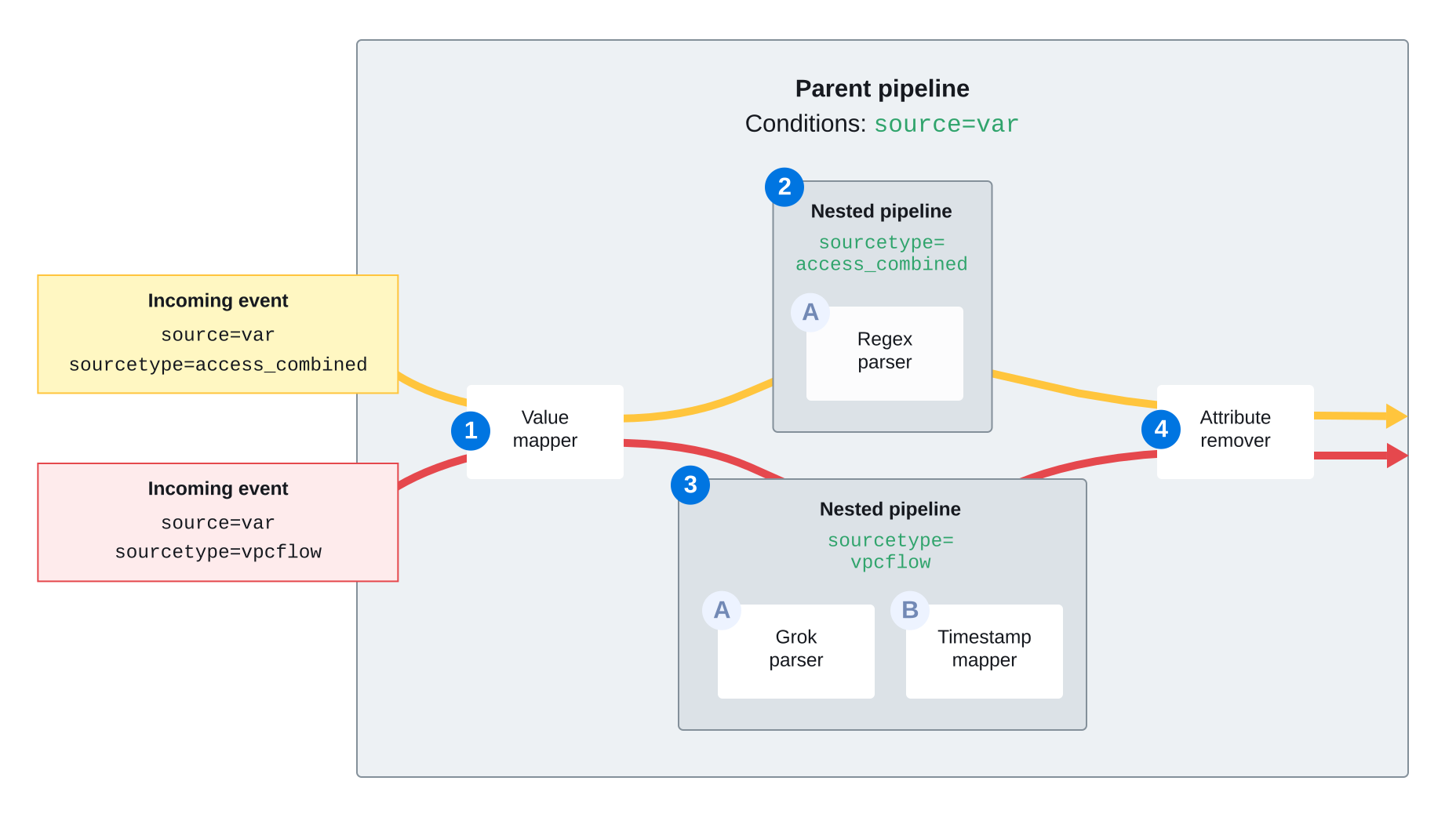
The following diagram shows an example of sequential processing by a pipeline with nested elements:
- Parent pipeline filters incoming events by
source=var. - Value mapper [
1] adds metadata to events. - Access combined path: nested pipeline filters by
sourcetype=access_combinedfor regex parsing [2A]. - VPC flow path: nested pipeline events filters by
sourcetype=vpcflowfor grok parsing [3A] and timestamp mapping [3B]. - Attribute remover [
4] performs final cleanup before storage.
Learn more
See the following topics for more information:
- Transform events using pipelines for an overview of pipelines and processors.
- Manage pipelines and processors for how to create and manage pipelines and processors.
- Processors reference for the types of processors available in Lumi.